Linking Partners & Dokkan Frontier Features

The last couple of days were a busy few! I got to implementing 2 new features for the site: character linking partners and Dokkan Frontier information.

I could explain in full depth what they are and how they work, but checking them out for yourself will probably do a lot better job at that!

Let me know any feedback you have in the comments below. 👇

Dokkan Mode


When the Dokkan Gauge below your HP bar is full
and your character's Super Attack is activated,
you will enter the Dokkan Mode.
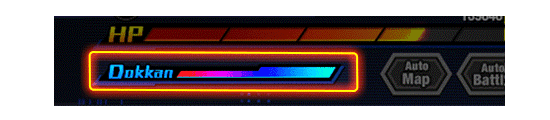

Banner for Dokkan Mode


The following effects will be triggered in Dokkan Mode:
1. The character's attack will attack all enemies.
2. The damage dealt will increase according to
the number of number buttons you tapped on.
3. The enemy's guard will not be activated.
4. The enemy's DEF will become 0.
5. HP will be recovered at the start of the next turn
according to the damage dealt to the enemy.
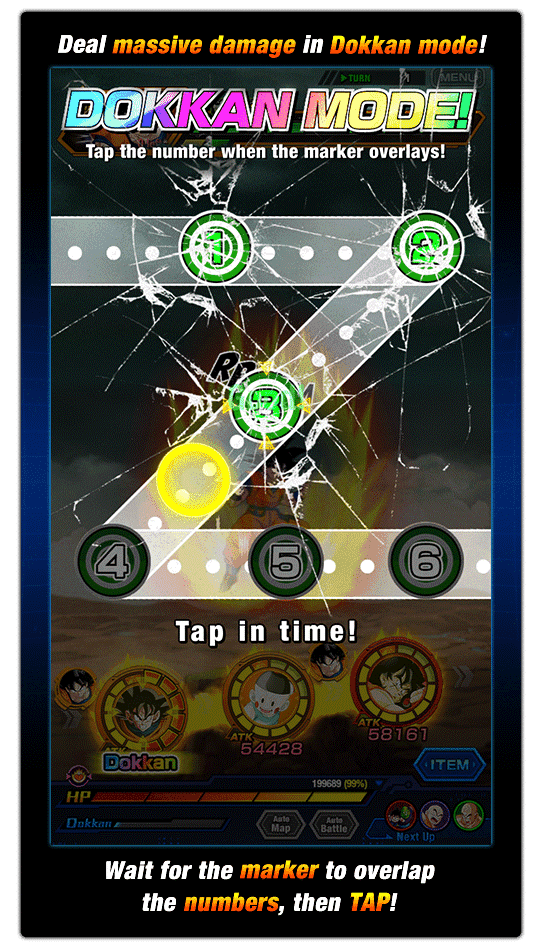

Banner for Dokkan Mode


The Dokkan Gauge increases as you obtain Ki Spheres.
When you obtain Ki Spheres that are the same color
as the character's Type, the Dokkan Gauge will
increase twice as much as usual.

* The Dokkan Gauge will reset once you leave a stage.

OtherCheckJan 17, 2022, 12:00 AM GMT+0

Comments

Post a Comment

You must be a verified member in order to post a comment.

No comments have been posted yet.
DOKKAN.FYI

With by CapnMZ

Dragonball Z Dokkan Battle © BIRD STUDIO / SHUEISHA, TOEI ANIMATION & ©2015 BANDAI NAMCO Entertainment, Inc. Developed by Akatsuki, Inc.

This website serves solely for informational purposes. The author is not affiliated with any of the aforementioned parties.

Amazon and the Amazon logo are trademarks of Amazon.com, Inc. or its affiliates.

Support the cause
Socials
RIPoLegend