Update 6.2.0 Released!
Update 6.2.0 has been released!
The update details are as follows:
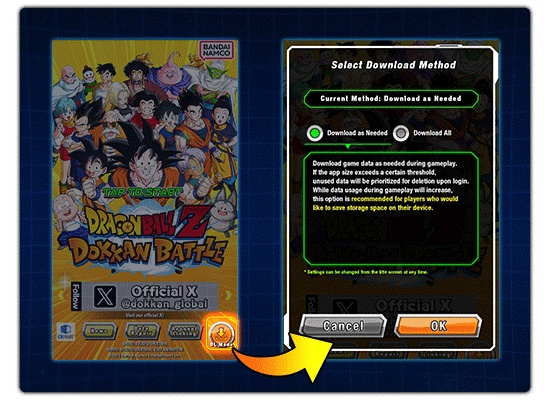
1. Added the "Download as Needed" option.
In addition to "Download All",
"Download as Needed" is also available.
By selecting "Download as Needed", game data will
be downloaded when necessary during gameplay.
If the app size exceeds a certain threshold,
unused data will be prioritized for deletion.
While data usage during gameplay will increase,
this option allows you to save storage space
on your device compared to "Download All".
After updating to Update 6.2.0, a popup will appear
upon your first login, allowing you to choose between
"Download All" and "Download as Needed".
Settings can be changed via the "DL Mode" button
on the title screen at any time.
* For Update 6.2.0, you can save approximately 2.5 GB of
storage space with the "Download as Needed" option.
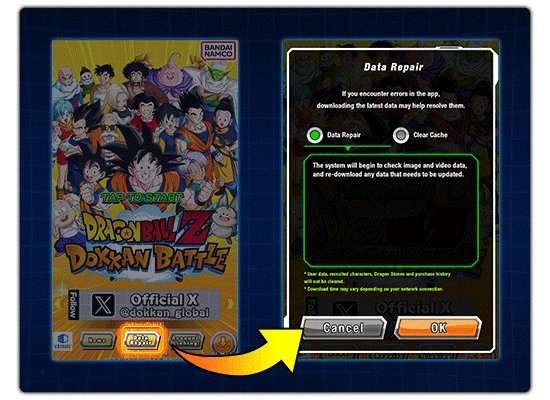
2. Implemented the "Data Repair" feature.
Through this feature, the system will check
image and video data, and re-download
any data that needs to be updated.
Unlike the "Clear Cache" feature,
this feature will not delete system data.
You can use this feature via the "Data Repair" button
on the title screen.
3. Implemented a feature that allows you to
access relevant screens via announcements.
You will be able to access other announcements,
relevant events and "Help" via the links in announcements.
Buttons that give you direct access to events,
Baba's Shop and other sections in the game
have also been implemented.
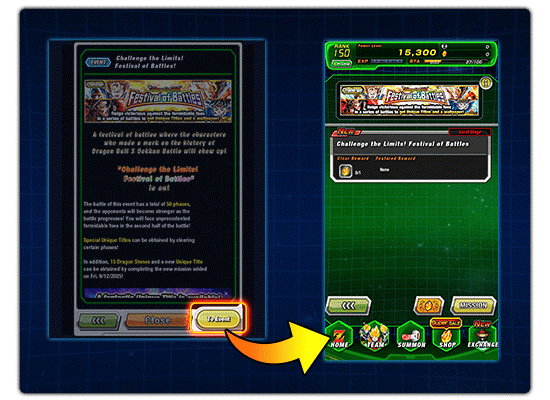
Upon the release of Update 6.2.0, this feature
will only be available for certain announcements.
It will be gradually rolled out to previously
released announcements.
* If the event you try to access is currently unavailable,
a popup such as "No events currently active." will appear.
4. Optimized the Skill Orb search feature.
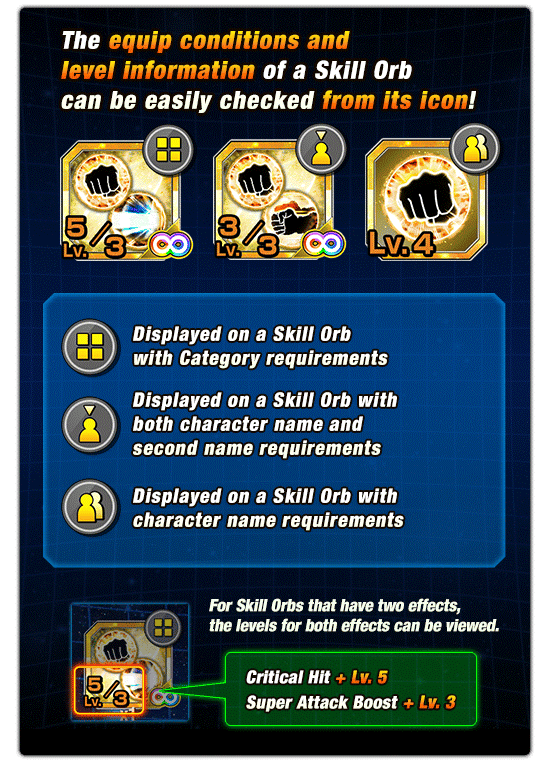
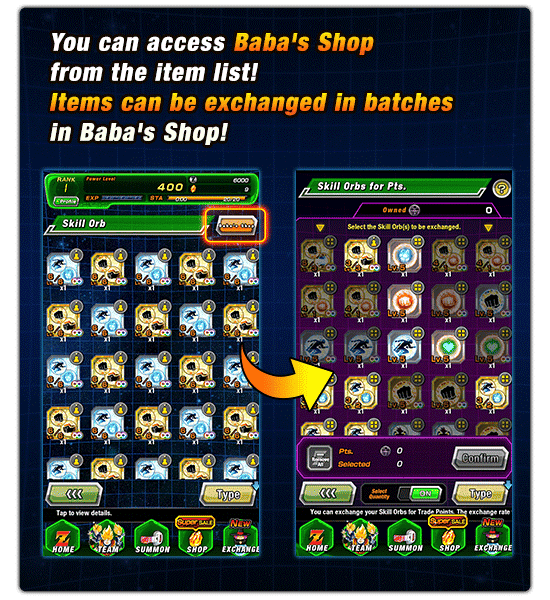
* For more details, please navigate the following path:
"Menu --> Help --> How to Play --> Skill Orbs".
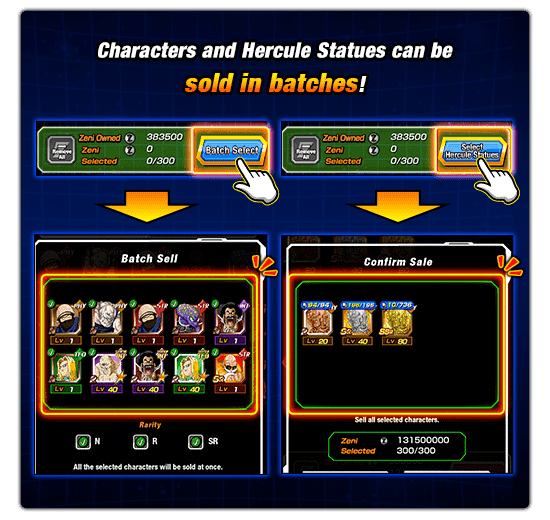
5. Implemented the "Batch Sell/Exchange" feature.
The "Batch Select" button has been added to the screens
for selling and exchanging characters. You can now
sell or exchange SR or lower characters all at once.
6. Optimized the feature for exchanging characters for Coins.
You can now exchange characters for Coins
on the "Summon Results" screen.
7. Enabled batch expansion of Character Slots.
You can now use Dragon Stones to expand
Character Slots in batches.
8. Fixed some bugs.
Please update the game through the App Store or Google Play.
We hope you continue to enjoy playing
Dragon Ball Z Dokkan Battle!